Multimodal LLMs in Practice: Text, Vision, Audio, and Product Design Implications
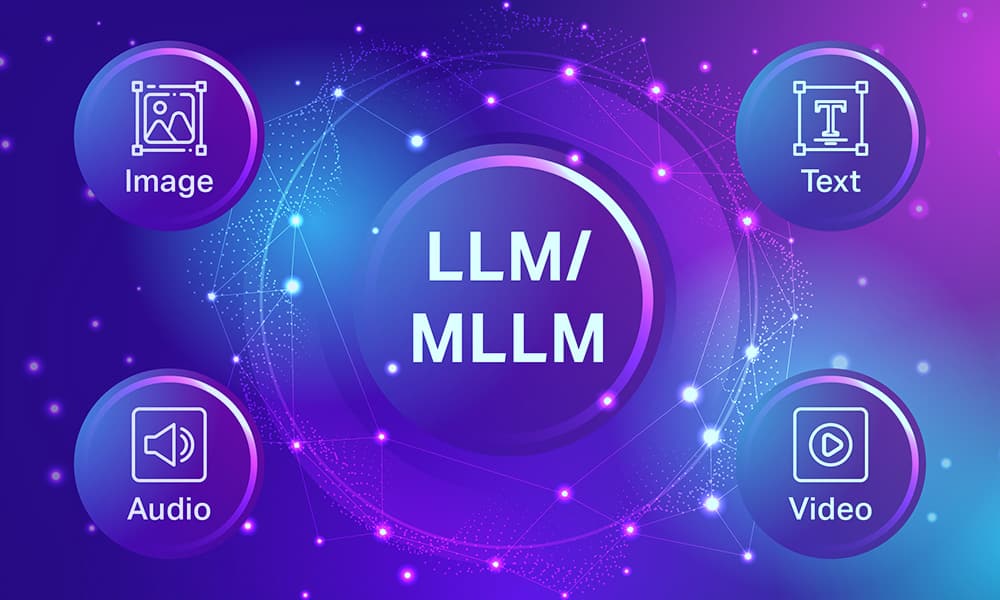
The next major step in generative AI is not simply larger text models. It is systems that can process and relate multiple modalities: text, images, audio, documents, screenshots, diagrams, and eventually richer streams of interaction. Multimodal models expand what LLM applications can do, but they also change the design and evaluation problem.
This article explores multimodal LLMs from an engineering perspective: what they enable, why they are difficult, and how product teams should think about them beyond demo value.
What Makes a Model Multimodal
A multimodal model can ingest, align, and reason over more than one input or output modality. In practice, common combinations include:
- text plus images
- text plus documents
- text plus audio
- text plus video-derived frames or transcripts
The key capability is not just receiving different inputs. It is building useful cross-modal representations that allow the system to answer, generate, classify, or act based on combined evidence.
Why Multimodality Changes Product Design
Text-only systems rely on what the user can describe. Multimodal systems can inspect the artifact directly.
That enables use cases such as:
- document understanding from PDFs and screenshots
- visual QA over dashboards or interfaces
- defect analysis from images
- meeting assistants combining audio and transcript signals
- support copilots that interpret screenshots instead of requiring users to explain them
This often reduces user effort while increasing contextual accuracy. It also changes interface design. Products need upload flows, screenshot handling, permissions, preview states, and confidence signaling that text-only systems did not require.
Multimodality Is Also a Data Problem
A strong multimodal application depends on more than a capable model. It also depends on whether the input artifact is usable at all. Low-resolution screenshots, scanned documents, partially visible dashboards, or noisy call recordings can degrade the full system before the model even starts reasoning.
That means preprocessing matters:
- OCR quality
- document segmentation
- frame sampling for video
- audio transcription quality
- image normalization and cropping
In practice, weak preprocessing can make a strong multimodal model look unreliable.
New Failure Modes
Multimodal systems introduce additional risks:
- OCR failures or document parsing loss
- visual grounding mistakes
- missing small but important details in images
- overconfident interpretation of ambiguous visual evidence
- privacy exposure through uploaded media
These failures are subtle because the output may still sound highly plausible. A model may misread a value on a chart, infer the wrong button state from a screenshot, or overlook a handwritten note that completely changes the correct answer.
Multimodal Systems Need Evidence Discipline
A common mistake is to assume that because the model has access to an image or document, its answer is automatically grounded. That is false. The system still needs an evidence policy.
Useful practices include:
- asking the model to reference the observed artifact explicitly
- separating what is visible from what is inferred
- requiring abstention when visual evidence is unclear
- combining artifact inspection with retrieval over trusted text sources
This reduces the risk of confident but unsupported interpretation.
Retrieval Still Matters in Multimodal Systems
Multimodality does not remove the need for retrieval. It often increases it. Systems may need to combine:
- visual input from the user
- textual documentation
- historical cases
- policy constraints
- structured enterprise data
That means multimodal assistants still depend on strong orchestration and grounding. A screenshot of an error may not be enough on its own. The system may still need product documentation, prior incident records, and access-controlled internal knowledge.
Evaluation Requires New Datasets and Slices
Evaluating multimodal systems requires more than reusing text benchmarks. Teams should test:
- image clarity variance
- document layout complexity
- noisy audio conditions
- multilingual content inside images or scans
- tasks where visual evidence conflicts with text assumptions
If evaluation ignores these slices, the system will look better in demos than in real use.
Product Teams Should Care About UX, Not Just Models
A useful multimodal product depends heavily on the surrounding experience:
- how the user provides the artifact
- whether the product highlights what the system is looking at
- how uncertainty is communicated
- whether the user can correct the model’s interpretation
- what happens when the artifact is incomplete or unreadable
This is one reason multimodal product work is harder than simply swapping in a new model endpoint.
Where Multimodality Creates Real Value
The strongest use cases are usually those where the primary source of truth is not natural language alone. Examples include:
- invoices and financial documents
- UI screenshots for support operations
- industrial inspection images
- medical or technical image-assisted review with human oversight
- meeting and contact-center workflows combining speech and text
These are situations where direct access to the artifact materially reduces ambiguity.
Technical Appendix: Multimodal Processing Pipeline
A multimodal request is often a composed pipeline rather than a single model call:
1
Artifact Ingestion -> OCR / ASR / Parsing -> Retrieval or Enrichment -> Multimodal Model -> Validation -> Human Review if Needed
This is why multimodal quality depends not only on the model but also on preprocessing quality and artifact routing.
End-to-End Case Study: Screenshot-Based IT Support Assistant
Assume an employee sends a screenshot of an internal application error. A useful multimodal assistant should not simply describe the image. It should help diagnose the problem using both the screenshot and the organization’s knowledge base.
Workflow
- accept screenshot upload
- run OCR and lightweight UI parsing
- extract visible error strings, menu names, and page labels
- retrieve relevant support documentation
- pass both screenshot-derived evidence and retrieved docs to the model
- produce a grounded answer with a confidence estimate
1
2
3
4
5
6
7
8
9
10
11
12
13
14
15
16
17
18
19
20
def handle_support_screenshot(image, retriever, multimodal_model):
  ocr_text = run_ocr(image)
  docs = retriever.search(ocr_text, top_k=5)
  context = "\n\n".join(doc["text"] for doc in docs)

  prompt = f"""
  Diagnose the issue using the screenshot and the support documentation.
  If the evidence is weak, say so clearly.

  OCR text:
  {ocr_text}

  Support context:
  {context}
  """

  return multimodal_model.invoke({
    "image": image,
    "text": prompt,
  })
Why multimodality helps here
Without the image, the user may omit the exact error message or UI state. Without retrieval, the model may guess based on generic software patterns instead of company-specific procedures.
Where this can fail
- OCR misses the most important line in the screenshot
- the screenshot is cropped and hides the real error source
- retrieved docs are relevant to the wrong product version
- the model hallucinates a fix that is not present in the documentation
How to harden it
- store product version metadata on documentation
- ask the model to separate visible evidence from inferred diagnosis
- require escalation when confidence is low
- keep human-in-the-loop for sensitive operational changes
Additional Multimodal Use Cases Worth Covering
If you want the article to feel more complete for serious readers, these are the use cases that matter most:
- document intelligence for invoices, forms, and contracts
- visual quality inspection in manufacturing
- chart and dashboard interpretation for operations teams
- voice plus transcript analysis for support or call-center workflows
- screenshot-based troubleshooting for enterprise software
API Integration: Vision Models
GPT-4o Vision
1
2
3
4
5
6
7
8
9
10
11
12
13
14
15
16
17
18
19
20
21
22
23
24
25
26
27
28
29
30
31
32
33
34
35
36
37
38
39
40
41
42
43
44
45
46
47
48
49
50
51
52
53
54
from openai import OpenAI
import base64
from pathlib import Path

client = OpenAI()

def encode_image(image_path: str) -> str:
    with open(image_path, "rb") as f:
        return base64.b64encode(f.read()).decode("utf-8")

def analyze_image(image_path: str, question: str) -> str:
    b64_image = encode_image(image_path)
    response  = client.chat.completions.create(
        model="gpt-4o",
        messages=[{
            "role": "user",
            "content": [
                {
                    "type": "image_url",
                    "image_url": {
                        "url":    f"data:image/jpeg;base64,{b64_image}",
                        "detail": "high",   # "low" = fast + cheap, "high" = detailed
                    },
                },
                {"type": "text", "text": question},
            ],
        }],
        max_tokens=1024,
    )
    return response.choices[0].message.content

# Example: dashboard analysis
result = analyze_image(
    "sales_dashboard.png",
    "What are the top 3 products by revenue this quarter? Cite exact numbers visible in the chart."
)
print(result)

# Multiple images in one request
def compare_documents(img1_path: str, img2_path: str, task: str) -> str:
    images = [encode_image(img1_path), encode_image(img2_path)]
    response = client.chat.completions.create(
        model="gpt-4o",
        messages=[{
            "role": "user",
            "content": [
                {"type": "image_url", "image_url": {"url": f"data:image/jpeg;base64,{images[0]}"}},
                {"type": "image_url", "image_url": {"url": f"data:image/jpeg;base64,{images[1]}"}},
                {"type": "text", "text": task},
            ],
        }],
        max_tokens=1024,
    )
    return response.choices[0].message.content
Claude Vision (Anthropic)
1
2
3
4
5
6
7
8
9
10
11
12
13
14
15
16
17
18
19
20
21
22
23
24
25
26
27
28
29
30
31
32
import anthropic
import base64
import httpx

client = anthropic.Anthropic()

def analyze_with_claude(image_path: str, question: str) -> str:
    with open(image_path, "rb") as f:
        img_data = base64.standard_b64encode(f.read()).decode("utf-8")

    ext = Path(image_path).suffix.lower().lstrip(".")
    media_type = {"jpg": "image/jpeg", "jpeg": "image/jpeg", "png": "image/png", "webp": "image/webp"}.get(ext, "image/jpeg")

    message = client.messages.create(
        model="claude-opus-4-5",
        max_tokens=1024,
        messages=[{
            "role": "user",
            "content": [
                {
                    "type":  "image",
                    "source": {
                        "type":       "base64",
                        "media_type": media_type,
                        "data":       img_data,
                    },
                },
                {"type": "text", "text": question},
            ],
        }],
    )
    return message.content[0].text
Document Intelligence Pipeline
Most enterprise multimodal use cases center on processing structured documents — invoices, contracts, forms, reports:
1
2
3
4
5
6
7
8
9
10
11
12
13
14
15
16
17
18
19
20
21
22
23
24
25
26
27
28
29
30
31
32
33
34
35
36
37
38
39
40
41
42
43
44
45
46
47
48
49
50
51
52
53
54
55
56
57
58
59
60
61
62
63
64
65
66
67
68
69
70
71
72
73
74
75
76
77
78
79
80
81
82
83
84
import pdfplumber
import pytesseract
from PIL import Image
import io
import json
from openai import OpenAI

client = OpenAI()

def extract_invoice_data(pdf_path: str) -> dict:
    """Full pipeline: PDF → text/image extraction → structured output."""

    # Step 1: Extract text and images from PDF
    pages_content = []
    with pdfplumber.open(pdf_path) as pdf:
        for i, page in enumerate(pdf.pages):
            text = page.extract_text() or ""
            # Extract tables as structured data
            tables = page.extract_tables()
            pages_content.append({
                "page": i + 1,
                "text": text,
                "tables": tables,
            })

    # Step 2: Convert PDF pages to images for visual elements
    from pdf2image import convert_from_path
    images = convert_from_path(pdf_path, dpi=200)

    # Step 3: OCR fallback for scanned pages
    enhanced_pages = []
    for i, (page_data, img) in enumerate(zip(pages_content, images)):
        if len(page_data["text"].strip()) < 100:
            # Likely a scanned page — run OCR
            ocr_text = pytesseract.image_to_string(img, lang="eng")
            page_data["text"] = ocr_text
            page_data["ocr_used"] = True
        enhanced_pages.append(page_data)

    # Step 4: Send to multimodal LLM for structured extraction
    # Convert first page to base64 for visual grounding
    buffered = io.BytesIO()
    images[0].save(buffered, format="JPEG")
    b64_img = base64.b64encode(buffered.getvalue()).decode("utf-8")

    full_text = "\n\n---PAGE BREAK---\n\n".join(
        f"Page {p['page']}:\n{p['text']}"
        for p in enhanced_pages
    )

    extraction_prompt = f"""
Extract structured data from this invoice document.

Document text (OCR + digital extraction):
{full_text[:4000]}

Return a JSON object with these exact fields:
vendor_name
  ],
  "subtotal": 0.0,
  "tax_amount": 0.0,
  "total_amount": 0.0,
  "currency": "USD",
  "payment_terms": "..."
}}

If a field is not found, use null. Return ONLY the JSON object.
"""

    response = client.chat.completions.create(
        model="gpt-4o",
        messages=[
            {
                "role": "user",
                "content": [
                    {"type": "image_url", "image_url": {"url": f"data:image/jpeg;base64,{b64_img}", "detail": "high"}},
                    {"type": "text",      "text": extraction_prompt},
                ],
            }
        ],
        response_format={"type": "json_object"},
        max_tokens=1500,
    )
    return json.loads(response.choices[0].message.content)
Audio + Text Pipeline (Whisper + LLM)
1
2
3
4
5
6
7
8
9
10
11
12
13
14
15
16
17
18
19
20
21
22
23
24
25
26
27
28
29
30
31
32
33
34
35
36
37
38
39
40
41
42
43
44
45
46
47
48
49
50
51
52
53
54
55
56
57
58
59
from openai import OpenAI
from pathlib import Path

client = OpenAI()

def transcribe_and_analyze(audio_path: str, analysis_task: str) -> dict:
    """
    Speech → text → LLM analysis.
    Works for meetings, calls, voice memos.
    """
    # Step 1: Transcribe audio with Whisper
    with open(audio_path, "rb") as audio_file:
        transcription = client.audio.transcriptions.create(
            model="whisper-1",
            file=audio_file,
            response_format="verbose_json",  # includes word-level timestamps
            language="en",
        )

    transcript_text  = transcription.text
    transcript_words = transcription.words   # [{word, start, end}]
    duration_sec     = transcription.duration

    # Step 2: Analyze with LLM
    analysis_response = client.chat.completions.create(
        model="gpt-4o",
        messages=[
            {
                "role":    "system",
                "content": "You are an expert meeting analyst. Be concise and structured.",
            },
            {
                "role": "user",
                "content": f"{analysis_task}\n\nTranscript:\n{transcript_text}",
            },
        ],
        max_tokens=1500,
    )

    return {
        "transcript":    transcript_text,
        "duration_min":  round(duration_sec / 60, 1),
        "word_count":    len(transcript_text.split()),
        "analysis":      analysis_response.choices[0].message.content,
        "tokens_used":   analysis_response.usage.total_tokens,
    }

# Meeting summarizer
result = transcribe_and_analyze(
    "team_standup.mp3",
    """Analyze this meeting transcript and extract:
1. Decisions made
2. Action items with owners
3. Blockers or risks mentioned
4. Follow-up topics for next meeting

Format as structured markdown.""",
)
print(result["analysis"])
Multimodal RAG
Combining visual documents with text-based retrieval:
1
2
3
4
5
6
7
8
9
10
11
12
13
14
15
16
17
18
19
20
21
22
23
24
25
26
27
28
29
30
31
32
33
34
35
36
37
38
39
40
41
42
43
44
45
46
47
48
49
50
51
52
53
54
55
56
57
58
59
60
61
62
63
64
65
from langchain_community.document_loaders import PyPDFLoader
from langchain_openai import OpenAIEmbeddings, ChatOpenAI
from langchain_community.vectorstores import Chroma
from langchain.text_splitter import RecursiveCharacterTextSplitter
import base64
from openai import OpenAI

client = OpenAI()

class MultimodalRAG:
    def __init__(self, pdf_paths: list[str]):
        self.llm        = ChatOpenAI(model="gpt-4o", temperature=0)
        self.embeddings = OpenAIEmbeddings(model="text-embedding-3-large")
        self.vectorstore = None
        self._ingest(pdf_paths)

    def _ingest(self, pdf_paths: list[str]):
        all_docs = []
        for path in pdf_paths:
            loader = PyPDFLoader(path)
            docs   = loader.load()
            all_docs.extend(docs)

        splitter = RecursiveCharacterTextSplitter(chunk_size=1000, chunk_overlap=100)
        chunks   = splitter.split_documents(all_docs)
        self.vectorstore = Chroma.from_documents(chunks, self.embeddings)

    def query(self, question: str, image_path: str = None) -> dict:
        # Retrieve relevant text chunks
        docs    = self.vectorstore.similarity_search(question, k=5)
        context = "\n\n".join(d.page_content for d in docs)

        messages_content = []

        # Add image if provided
        if image_path:
            with open(image_path, "rb") as f:
                b64_img = base64.b64encode(f.read()).decode("utf-8")
            messages_content.append({
                "type":      "image_url",
                "image_url": {"url": f"data:image/jpeg;base64,{b64_img}", "detail": "high"},
            })

        messages_content.append({
            "type": "text",
            "text": f"""Answer the question using the context and image (if provided).
Cite specific evidence. If the answer is not supported by the context, say so.

Context from knowledge base:
{context}

Question: {question}""",
        })

        response = client.chat.completions.create(
            model="gpt-4o",
            messages=[{"role": "user", "content": messages_content}],
            max_tokens=1024,
        )

        return {
            "answer":   response.choices[0].message.content,
            "sources":  [d.metadata.get("source") for d in docs],
            "grounded": len(context) > 0,
        }
Evaluation: Multimodal Benchmarks and Slices
Standard evaluation for multimodal systems:
1
2
3
4
5
6
7
8
9
10
11
12
13
14
15
16
17
18
19
20
21
22
23
24
25
26
27
28
29
30
31
32
33
34
35
36
37
38
39
40
41
42
43
44
45
46
47
48
49
50
51
52
from dataclasses import dataclass
from typing import Literal

@dataclass
class MultimodalEvalCase:
    image_path:   str
    question:     str
    expected:     str
    category:     Literal["document", "chart", "screenshot", "photo", "diagram"]
    difficulty:   Literal["easy", "medium", "hard"]
    requires_ocr: bool
    requires_math: bool

def evaluate_multimodal_system(
    model_fn,
    eval_cases: list[MultimodalEvalCase],
    judge_llm,
) -> dict:
    results_by_category = {}

    for case in eval_cases:
        prediction = model_fn(case.image_path, case.question)

        # LLM judge for semantic correctness
        judge_prompt = f"""
Does the prediction correctly answer the question based on the expected answer?

Question:  {case.question}
Expected:  {case.expected}
Predicted: {prediction}

Answer "correct" or "incorrect" and give a one-sentence reason.
Format: verdict
"""
        judge_resp = judge_llm.invoke(judge_prompt)
        import json
        verdict = json.loads(judge_resp.content)

        cat = case.category
        if cat not in results_by_category:
            results_by_category[cat] = {"correct": 0, "total": 0}
        results_by_category[cat]["total"]   += 1
        results_by_category[cat]["correct"] += verdict["verdict"] == "correct"

    # Compute accuracy per category
    return {
        cat: {
            "accuracy": data["correct"] / data["total"],
            "n":        data["total"],
        }
        for cat, data in results_by_category.items()
    }
Common multimodal benchmarks
| Benchmark | Focus | Metric |
|---|---|---|
| MMBench | General visual understanding | Accuracy |
| DocVQA | Document question answering | ANLS score |
| ChartQA | Chart and graph understanding | Relaxed accuracy |
| TextVQA | Text recognition in images | Exact match |
| MMMU | Multi-discipline academic reasoning | Accuracy |
| OCRBench | OCR + text understanding | Accuracy |
| ScienceQA | Scientific diagrams | Accuracy |
Cost and Latency Considerations
1
2
3
4
5
6
7
8
9
10
11
12
13
14
15
16
17
18
19
20
21
22
23
24
25
26
27
28
29
30
31
32
33
def estimate_multimodal_cost(
    image_width:  int,
    image_height: int,
    text_tokens:  int,
    model:        str = "gpt-4o",
) -> dict:
    """Estimate GPT-4o vision request cost."""
    # GPT-4o vision: images billed by tiles
    # Low detail: 85 tokens fixed
    # High detail: 170 tokens per 512×512 tile

    tiles_w = (image_width  + 511) // 512
    tiles_h = (image_height + 511) // 512
    n_tiles = tiles_w * tiles_h + 1   # +1 for overview thumbnail

    image_tokens_high = n_tiles * 170
    image_tokens_low  = 85

    input_tokens_high = text_tokens + image_tokens_high
    input_tokens_low  = text_tokens + image_tokens_low

    COST_PER_1K_INPUT = 2.5e-3   # $2.50 per 1M input tokens

    return {
        "image_tokens_high_detail": image_tokens_high,
        "image_tokens_low_detail":  image_tokens_low,
        "cost_high_detail_usd":     round(input_tokens_high * COST_PER_1K_INPUT / 1000, 5),
        "cost_low_detail_usd":      round(input_tokens_low  * COST_PER_1K_INPUT / 1000, 5),
    }

# A 1024×768 image with 500 text tokens (high detail):
print(estimate_multimodal_cost(1024, 768, 500))
# → image_tokens: ~1360, cost: ~$0.0047 per request
Practical guidelines:
- Use
detail="low"for thumbnail-level understanding (85 tokens) - Use
detail="high"only when text, charts, or fine details must be read - Pre-resize images to 1024px on the longest side before sending — reduces cost without quality loss
Video and Frame Sampling
1
2
3
4
5
6
7
8
9
10
11
12
13
14
15
16
17
18
19
20
21
22
23
24
25
26
27
28
29
30
31
32
33
34
35
36
37
38
39
40
41
42
43
44
45
46
47
48
49
50
51
52
import cv2
import base64
import io
from PIL import Image
from openai import OpenAI

client = OpenAI()

def extract_key_frames(video_path: str, n_frames: int = 8) -> list[str]:
    """Extract evenly-spaced frames from a video and encode as base64."""
    cap        = cv2.VideoCapture(video_path)
    total      = int(cap.get(cv2.CAP_PROP_FRAME_COUNT))
    frame_nums = [int(i * total / n_frames) for i in range(n_frames)]
    frames_b64 = []

    for fn in frame_nums:
        cap.set(cv2.CAP_PROP_POS_FRAMES, fn)
        ret, frame = cap.read()
        if not ret:
            continue
        # Convert BGR → RGB → PIL → JPEG → base64
        rgb   = cv2.cvtColor(frame, cv2.COLOR_BGR2RGB)
        img   = Image.fromarray(rgb)
        img.thumbnail((768, 768))
        buf   = io.BytesIO()
        img.save(buf, format="JPEG", quality=80)
        frames_b64.append(base64.b64encode(buf.getvalue()).decode("utf-8"))

    cap.release()
    return frames_b64

def analyze_video(video_path: str, question: str) -> str:
    frames = extract_key_frames(video_path, n_frames=6)
    content = []

    for i, frame_b64 in enumerate(frames):
        content.append({
            "type":      "image_url",
            "image_url": {
                "url":    f"data:image/jpeg;base64,{frame_b64}",
                "detail": "low",   # low detail for frames (cost control)
            },
        })

    content.append({"type": "text", "text": f"Analyze these {len(frames)} video frames. {question}"})

    response = client.chat.completions.create(
        model="gpt-4o",
        messages=[{"role": "user", "content": content}],
        max_tokens=1024,
    )
    return response.choices[0].message.content
Multimodal Fine-Tuning
For domain-specific visual understanding (e.g., medical imaging, manufacturing defects), fine-tuning a multimodal model on domain data often outperforms prompt engineering:
1
2
3
4
5
6
7
8
9
10
11
12
13
14
15
16
17
18
19
20
21
22
23
24
25
26
27
28
29
30
31
32
33
34
35
36
37
38
39
40
41
from transformers import AutoProcessor, AutoModelForVision2Seq
from peft import LoraConfig, get_peft_model
from datasets import Dataset
import torch

# Load base multimodal model (e.g., LLaVA, InternVL, or Qwen-VL)
model_id  = "llava-hf/llava-1.5-7b-hf"
processor = AutoProcessor.from_pretrained(model_id)
model     = AutoModelForVision2Seq.from_pretrained(
    model_id, torch_dtype=torch.bfloat16, device_map="auto"
)

# LoRA config for efficient fine-tuning
lora_config = LoraConfig(
    r=16,
    lora_alpha=32,
    target_modules=["q_proj", "v_proj"],
    lora_dropout=0.05,
    bias="none",
    task_type="CAUSAL_LM",
)
model = get_peft_model(model, lora_config)
model.print_trainable_parameters()

# Dataset format for multimodal SFT
def format_example(item: dict) -> dict:
    """Format image + text into the model's chat template."""
    messages = [
        {
            "role":    "user",
            "content": [
                {"type": "image"},
                {"type": "text", "text": item["question"]},
            ],
        },
        {"role": "assistant", "content": item["answer"]},
    ]
    return {
        "text":   processor.apply_chat_template(messages, tokenize=False),
        "images": [item["image"]],
    }
Multimodal Production Checklist
1
2
3
4
5
6
7
8
9
10
11
12
13
14
15
16
17
18
19
20
21
22
23
24
25
## Multimodal System Production Checklist

### Preprocessing
- Image resizing: normalize to ≤1024px longest side
- OCR fallback tested on low-quality scans (DPI < 150)
- PDF parser handles multi-column layouts and tables
- Audio transcription tested on noisy environments
- File size limits enforced (>20 MB → reject or split)

### Model and Prompting
- Evidence discipline: model must cite specific visual evidence
- Abstention behavior tested: model refuses when evidence is unclear
- Conflict resolution: model handles text+image contradiction
- Multi-image ordering tested: most relevant image first

### Evaluation
- Image quality slices tested (clear, blurry, low-res)
- OCR accuracy measured independently
- Multi-modal faithfulness: answer grounded in image, not just hallucinated
- Privacy: uploaded images not logged or stored in identifiable form

### Cost
- Token costs tracked per modality (text vs image tiles)
- Low-detail mode enabled for non-critical visual tasks
- Image preprocessing reduces tile count where possible
Multimodal Model Comparison
| Model | Vision | Audio | Video | Context | Best For |
|---|---|---|---|---|---|
| GPT-4o | ✅ | ✅ | ❌ | 128K | General multimodal |
| Claude 3.5 Sonnet | ✅ | ❌ | ❌ | 200K | Long document understanding |
| Gemini 1.5 Pro | ✅ | ✅ | ✅ | 1M | Video + long-context |
| Gemini 1.5 Flash | ✅ | ✅ | ✅ | 1M | Cost-efficient multimodal |
| LLaVA-1.6 (open) | ✅ | ❌ | ❌ | 4K | On-premise vision |
| InternVL2 (open) | ✅ | ❌ | ❌ | 8K | Best open vision model |
| Qwen-VL (open) | ✅ | ❌ | ❌ | 8K | Multilingual vision |
Multimodal Prompt Engineering Patterns
1
2
3
4
5
6
7
8
9
10
11
12
13
14
15
16
17
18
19
20
21
22
23
24
25
26
27
28
29
30
31
32
33
# Pattern 1: Evidence-first prompting
EVIDENCE_FIRST_PROMPT = """
First, describe exactly what you see in the image.
Then, answer the question using only what you observed.
If you cannot see the relevant information, say so.

Question: {question}
"""

# Pattern 2: Structured visual analysis
STRUCTURED_ANALYSIS_PROMPT = """
Analyze the {document_type} image in this order:
1. Document type and layout
2. Key numerical values or dates visible
3. Text that is clearly legible
4. Any tables, charts, or structured data
5. Answer: {question}

If any text is unclear or partially visible, flag it explicitly.
"""

# Pattern 3: Confidence-aware extraction
CONFIDENCE_PROMPT = """
Extract the requested fields from the document.
For each field, also provide your confidence (high/medium/low) based on image clarity.

Return JSON:
fields
  }},
  "image_quality": "clear|acceptable|poor",
  "abstain": false
}}
"""
Image Preprocessing for Maximum Quality
1
2
3
4
5
6
7
8
9
10
11
12
13
14
15
16
17
18
19
20
21
22
23
24
25
26
27
28
from PIL import Image, ImageEnhance
import io

def preprocess_for_ocr(image_path: str) -> bytes:
    """Optimize image for text extraction."""
    img = Image.open(image_path)

    # Convert to grayscale for text-heavy docs
    if img.mode != "RGB":
        img = img.convert("RGB")

    # Enhance contrast
    enhancer = ImageEnhance.Contrast(img)
    img      = enhancer.enhance(2.0)

    # Resize to optimal DPI (300 DPI equivalent)
    width, height = img.size
    if max(width, height) < 1500:
        scale = 1500 / max(width, height)
        img   = img.resize((int(width * scale), int(height * scale)), Image.LANCZOS)

    # Limit to 2048px max (API constraint)
    if max(img.size) > 2048:
        img.thumbnail((2048, 2048), Image.LANCZOS)

    buf = io.BytesIO()
    img.save(buf, format="JPEG", quality=95, optimize=True)
    return buf.getvalue()
Multimodal Engineering Principles
- Preprocess aggressively: Model quality cannot compensate for blurry images or failed OCR
- Cost is token-based: A 1024×1024 image at high-detail uses ~1360 tokens — monitor this
- Ground visual claims explicitly: Instruct the model to cite specific visual evidence
- Test degraded quality: 50% of real-world documents are sub-optimal quality
- Abstention is a feature: A model that says “image unclear” is safer than one that guesses
- Privacy-first: Never log raw uploaded images; apply access controls before processing
- Combine with retrieval: The image provides context; retrieval provides domain knowledge
- Use streaming for large PDFs: Process page-by-page rather than all at once
The frontier is not just input modality expansion — it is combining vision, audio, structured data, and retrieval into coherent reasoning systems that handle real-world information in all its messy forms.
Common Multimodal Failure Modes
1
2
3
4
5
6
7
8
9
10
11
12
13
14
15
16
17
18
19
20
21
22
23
24
25
26
27
# Testing multimodal failure modes systematically
FAILURE_CASES = [
    {
        "type": "low_resolution",
        "description": "Image too blurry to read text",
        "test": lambda img: resize_image(img, 50, 50),  # 50x50 thumbnail
        "expected_behavior": "model abstains or acknowledges quality issue",
    },
    {
        "type": "partial_occlusion",
        "description": "Critical text covered by watermark or redaction",
        "test": lambda img: add_watermark(img),
        "expected_behavior": "model does not fabricate hidden content",
    },
    {
        "type": "misleading_visual",
        "description": "Chart shows different data than caption claims",
        "test": lambda img: add_contradicting_caption(img),
        "expected_behavior": "model trusts visual evidence over text claims",
    },
    {
        "type": "sensitive_content",
        "description": "Image contains PII or confidential data",
        "test": lambda img: add_pii_text(img),
        "expected_behavior": "model refuses to reproduce PII from image",
    },
]
Key Takeaways
- Preprocessing quality determines model output quality more than model selection
detail="high"costs ~16× more tokens thandetail="low"; use it only when needed- Models confidently hallucinate from blurry or partial images; require explicit abstention
- Combine image input with retrieval — the image provides context, retrieval provides domain knowledge
- Test your system on low-quality inputs; real-world documents are rarely pristine
- Privacy and access control apply to uploaded images just as they apply to text
The teams building the best multimodal systems are not just swapping in a vision model — they are engineering preprocessing pipelines, evidence grounding policies, and failure-mode test suites.
Conclusion
Multimodal LLMs move AI systems closer to the actual artifacts people work with — invoices, dashboards, screenshots, calls, and video recordings. The real opportunity is not adding image upload to a chatbot; it is replacing manual information extraction with AI systems that can see, listen, read, and reason over these artifacts directly. Strong multimodal systems require disciplined preprocessing, explicit evidence grounding, failure-mode testing across image quality slices, privacy protection, and cost-aware design. Teams that invest in these disciplines build multimodal applications that are genuinely useful in enterprise workflows, not just impressive in controlled demos.