Introduction
Vector databases are the backbone of modern Retrieval-Augmented Generation(RAG) systems, enabling LLMs to access external knowledge efficiently. Unlike traditional databases that store structured data, vector databases store high-dimensional embeddings that represent semantic meaning, allowing for fast similarity searches across millions of documents.
The shift from keyword-based to semantic search represents a fundamental paradigm change in information retrieval. Where traditional databases excel at exact matches and structured queries, vector databases enable fuzzy semantic matching - finding information based on meaning rather than exact text overlap. This capability is critical for LLMs that need to ground their responses in factual, up-to-date external knowledge.
Objective
- Embedding Fundamentals: How text transforms into semantic vectors and mathematical principles
- State-of-the-Art Models: Comparing OpenAI, Cohere, open-source models (2024-2025)
- Chunking Strategies: Optimizing document segmentation for retrieval quality
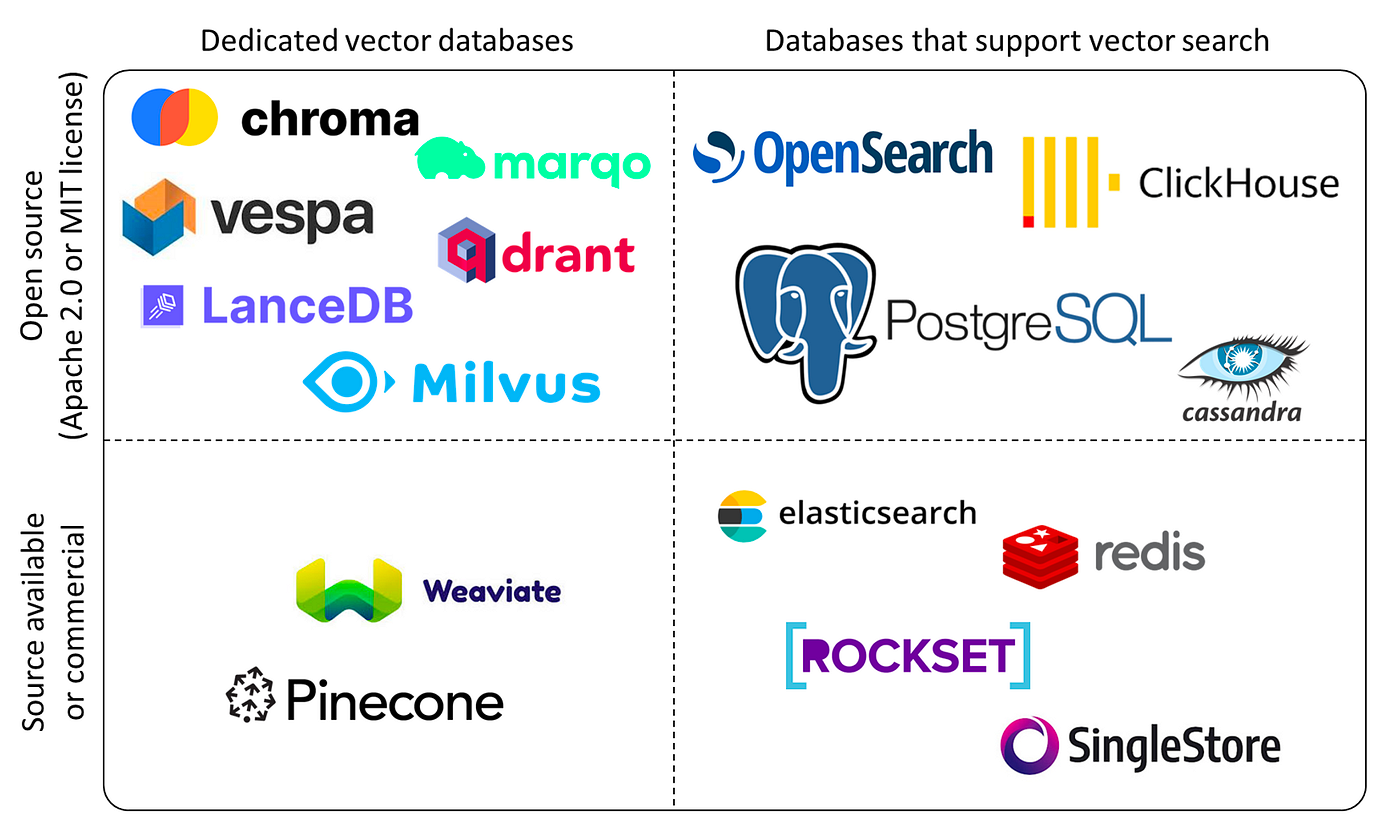
- Vector Database Architecture: Deep dive into Pinecone, Weaviate, Qdrant, ChromaDB, Milvus
- Advanced RAG Techniques: Hybrid search, reranking, HyDE, query expansion
- Production Deployment: Scaling, monitoring, cost optimization, and troubleshooting
- Evaluation Framework: Measuring and improving retrieval quality
Target Audience: ML Engineers, Data Scientists, and LLM practitioners building production-grade RAG systems with millions of documents and high-throughput requirements.
1. Understanding Embeddings
What are Embeddings?
Embeddings are dense vector representations of text (or images, audio) in high-dimensional space where semantic similarity corresponds to geometric proximity. This transformation maps discrete tokens into continuous vector space, enabling mathematical operations on meaning.
1
2
3
4
5
6
7
| # Example: Text to embedding
text = "The cat sits on the mat"
embedding = [0.12, -0.45, 0.78, ..., 0.34] # 384-1536 dimensions
# Similar texts have similar embeddings
"The cat sits on the mat" → [0.12, -0.45, 0.78, ...]
"A feline rests on a rug" → [0.15, -0.42, 0.81, ...] # Close in vector space!
|
Mathematical Foundation
Similarity Metrics:
- Cosine Similarity (most common):
- Range: [-1, 1] where 1 = identical, 0 = orthogonal, -1 = opposite
| Formula: similarity = (A · B) / ( | | A | | × | | B | | ) |
- Advantages: Magnitude-invariant, works well for text
- Euclidean Distance (L2):
- Range: [0, ∞] where 0 = identical
- Measures geometric distance in vector space
- Sensitive to magnitude
- Dot Product:
- Range: (-∞, ∞)
- Combines similarity and magnitude
- Fast to compute (no normalization)
1
2
3
4
5
6
7
8
9
10
11
12
13
14
15
16
17
18
| import numpy as np
def cosine_similarity(a, b):
return np.dot(a, b) / (np.linalg.norm(a) * np.linalg.norm(b))
def euclidean_distance(a, b):
return np.linalg.norm(a - b)
def dot_product(a, b):
return np.dot(a, b)
# Example
embedding1 = np.array([0.1, 0.2, 0.3])
embedding2 = np.array([0.15, 0.25, 0.35])
print(f"Cosine: {cosine_similarity(embedding1, embedding2):.3f}") # 0.999
print(f"L2 Distance: {euclidean_distance(embedding1, embedding2):.3f}") # 0.087
print(f"Dot Product: {dot_product(embedding1, embedding2):.3f}") # 0.200
|
Embedding Space Properties
- Dimensionality: Higher dimensions capture more nuance (384-3072 typical)
- Density: All dimensions contain information (vs sparse one-hot encoding)
- Semantic Clustering: Related concepts cluster together
- Compositionality: Vector arithmetic preserves meaning
- “king” - “man” + “woman” ≈ “queen”
- “Paris” - “France” + “Italy” ≈ “Rome”
Why Embeddings Matter for RAG
Traditional keyword search fails for semantic queries:
- Query: “How to fix a broken pipe?”
- Keyword match: “pipe”, “broken”, “fix”
- ❌ Misses: “plumbing repair”, “leaking faucet solution”
With embeddings:
- ✅ Finds semantically similar content regardless of exact words
2. Embedding Models
1
2
3
4
5
6
7
8
9
10
11
12
13
14
15
16
17
18
19
20
| from sentence_transformers import SentenceTransformer
# Load model
model = SentenceTransformer('all-MiniLM-L6-v2') # 384 dimensions
# Generate embeddings
texts = [
"The weather is nice today",
"It's a beautiful day",
"The stock market crashed"
]
embeddings = model.encode(texts)
print(embeddings.shape) # (3, 384)
# Calculate similarity
from sklearn.metrics.pairwise import cosine_similarity
similarity = cosine_similarity([embeddings[0]], [embeddings[1]])[0][0]
print(f"Similarity: {similarity:.3f}") # 0.857 (very similar!)
|
| Model | Dimensions | Speed (docs/sec) | MTEB Score | Use Case | License |
|---|
all-MiniLM-L6-v2 | 384 | 14,000 | 56.3 | General purpose, fast | Apache 2.0 |
all-mpnet-base-v2 | 768 | 2,800 | 57.8 | High quality, balanced | Apache 2.0 |
e5-large-v2 | 1024 | 800 | 64.5 | Production RAG | MIT |
bge-large-en-v1.5 | 1024 | 850 | 64.2 | State-of-the-art | MIT |
gte-large | 1024 | 900 | 63.7 | General text embeddings | Apache 2.0 |
instructor-xl | 768 | 500 | 66.0 | Task-specific prompting | Apache 2.0 |
MTEB (Massive Text Embedding Benchmark): Standardized benchmark across 58 datasets covering classification, clustering, retrieval, etc.
Advanced: Task-Specific Embeddings
1
2
3
4
5
6
7
8
9
10
11
12
13
14
15
16
17
18
19
| # Instructor: Add instructions for different tasks
from InstructorEmbedding import INSTRUCTOR
model = INSTRUCTOR('hkunlp/instructor-xl')
# Different instructions for different tasks
query_instruction = "Represent the question for retrieving supporting documents: "
passage_instruction = "Represent the document for retrieval: "
# Generate embeddings with instructions
query_embedding = model.encode(
[[query_instruction, "How to deploy ML models?"]]
)[0]
passage_embedding = model.encode(
[[passage_instruction, "ML deployment involves containerization..."]]
)[0]
# Better retrieval accuracy with task-specific instructions
|
b. OpenAI Embeddings (API)
1
2
3
4
5
6
7
8
9
10
11
12
13
14
15
16
17
18
19
20
21
22
23
24
| from openai import OpenAI
client = OpenAI()
def get_embedding(text, model="text-embedding-3-small", dimensions=None):
response = client.embeddings.create(
input=text,
model=model,
dimensions=dimensions # Matryoshka embeddings!
)
return response.data[0].embedding
# Generate embedding
embedding = get_embedding("The quick brown fox")
print(len(embedding)) # 1536 dimensions
# Matryoshka embeddings: reduce dimensions without retraining
embedding_256 = get_embedding("The quick brown fox", dimensions=256)
print(len(embedding_256)) # 256 dimensions (4x less storage!)
# Models comparison
# - text-embedding-3-small: 1536 dims, $0.02/1M tokens, 62.3% MTEB
# - text-embedding-3-large: 3072 dims, $0.13/1M tokens, 64.6% MTEB
# - text-embedding-ada-002: 1536 dims (legacy), $0.10/1M tokens
|
Matryoshka Embeddings: Variable Dimensions
Key Innovation: Single model produces embeddings that can be truncated to any dimension without losing proportional accuracy.
1
2
3
4
5
6
7
8
9
| # Trade-off: dimensions vs accuracy
performance_by_dimensions = {
1536: 100.0, # Full performance (baseline)
1024: 99.5, # 0.5% loss, 33% storage savings
512: 98.2, # 1.8% loss, 66% storage savings
256: 95.1, # 4.9% loss, 83% storage savings
}
# Production strategy: Use 512-768 dimensions for optimal balance
|
c. Cohere Embeddings
1
2
3
4
5
6
7
8
9
10
11
12
| import cohere
co = cohere.Client('your-api-key')
# Generate embeddings
response = co.embed(
texts=["Hello world", "Bonjour le monde"],
model="embed-english-v3.0",
input_type="search_document" # or "search_query"
)
embeddings = response.embeddings
|
d. Domain-Specific Models
1
2
3
4
5
6
7
8
| # Medical
model = SentenceTransformer('pritamdeka/S-PubMedBert-MS-MARCO')
# Code
model = SentenceTransformer('neuml/pubmedbert-base-embeddings')
# Multilingual
model = SentenceTransformer('paraphrase-multilingual-mpnet-base-v2')
|
3. Chunking Strategies
Before embedding, documents must be split into chunks. Chunk size critically impacts RAG performance.
a. Fixed-Size Chunking
1
2
3
4
5
6
7
8
9
10
11
| def fixed_size_chunking(text, chunk_size=512, overlap=50):
chunks = []
start = 0
while start < len(text):
end = start + chunk_size
chunks.append(text[start:end])
start = end - overlap # Overlap prevents context loss
return chunks
text = "..." * 10000 # Long document
chunks = fixed_size_chunking(text, chunk_size=512, overlap=50)
|
b. Semantic Chunking
1
2
3
4
5
6
7
8
9
| from langchain.text_splitter import RecursiveCharacterTextSplitter
splitter = RecursiveCharacterTextSplitter(
chunk_size=512,
chunk_overlap=50,
separators=["\n\n", "\n", ".", " ", ""] # Priority order
)
chunks = splitter.split_text(document)
|
c. Document-Structure-Aware Chunking
1
2
3
4
5
| from langchain.text_splitter import MarkdownTextSplitter
# Preserves markdown structure (headers, lists, code blocks)
splitter = MarkdownTextSplitter(chunk_size=512, chunk_overlap=50)
chunks = splitter.split_text(markdown_document)
|
d. Sentence-Level Chunking
1
2
3
4
5
6
7
8
9
10
11
12
13
14
| import nltk
nltk.download('punkt')
from nltk.tokenize import sent_tokenize
def sentence_chunking(text, sentences_per_chunk=5):
sentences = sent_tokenize(text)
chunks = []
for i in range(0, len(sentences), sentences_per_chunk):
chunk = " ".join(sentences[i:i+sentences_per_chunk])
chunks.append(chunk)
return chunks
|
Chunking Best Practices
| Chunk Size | Pros | Cons | Best For | Retrieval Precision |
|---|
| Small (128-256) | Precise retrieval | Lacks context | FAQs, definitions | High |
| Medium (512-1024) | Balanced | General purpose | Most RAG use cases | Medium |
| Large (2048+) | Full context | Less precise | Long-form documents | Low |
Golden rule: Chunk size should match your query complexity and expected answer length.
e. Late Interaction Chunking (Advanced)
1
2
3
4
5
6
7
8
9
10
11
12
13
| # ColBERT-style: Multiple vectors per document for fine-grained matching
from colbert.modeling.checkpoint import Checkpoint
colbert = Checkpoint("colbert-ir/colbertv2.0")
def late_interaction_embed(text):
# Returns multiple vectors (one per token)
token_embeddings = colbert.doc(text)
return token_embeddings # Shape: [num_tokens, 128]
# Each document gets multiple vectors
# Query matches against all token vectors
# More accurate but higher storage cost
|
f. Contextual Chunk Embeddings (2024 Innovation)
Problem: Standard chunking loses document context.
Solution: Prepend document summary to each chunk before embedding.
1
2
3
4
5
6
7
8
9
10
11
12
13
14
15
16
17
18
19
20
21
22
23
24
25
26
27
28
29
| ┌────────────────────────────────────────────────────────────┐
│ CONTEXTUAL CHUNKING FLOW │
└────────────────────────────────────────────────────────────┘
Full Document
│
▼
┌─────────────┐
│ Generate │
│ Summary │────────┐
└─────────────┘ │
│ │
▼ │
┌─────────────┐ │
│ Chunk │ │
│ Document │ │
└─────────────┘ │
│ │
▼ │
Chunk 1, 2, 3... │
│ │
▼ ▼
┌─────────────────────────┐
│ Summary + Chunk 1 │
│ Summary + Chunk 2 │──▶ Embed ──▶ Vector DB
│ Summary + Chunk 3 │
└─────────────────────────┘
Result: 30-40% accuracy improvement
|
1
2
3
4
5
6
7
8
9
10
11
12
13
14
15
16
17
| def contextual_chunking(document, chunk_size=512):
# Step 1: Generate document summary
summary = llm.generate(f"Summarize in 100 words:\n{document}")
# Step 2: Chunk document
chunks = split_text(document, chunk_size)
# Step 3: Prepend summary to each chunk
contextualized_chunks = [
f"Document context: {summary}\n\nChunk: {chunk}"
for chunk in chunks
]
return contextualized_chunks
# Embeddings now contain document-level context
# 30-40% improvement in retrieval accuracy (Anthropic research)
|
Chunking Strategy Decision Matrix
1
2
3
4
5
6
7
8
9
10
| def choose_chunking_strategy(document_type, avg_query_length):
strategies = {
("code", "short"): {"method": "semantic", "size": 256, "overlap": 50},
("code", "long"): {"method": "function-based", "size": 512, "overlap": 0},
("technical_docs", "short"): {"method": "semantic", "size": 512, "overlap": 50},
("technical_docs", "long"): {"method": "contextual", "size": 1024, "overlap": 100},
("conversational", "any"): {"method": "sentence-level", "size": 384, "overlap": 30},
("legal", "any"): {"method": "paragraph", "size": 2048, "overlap": 200},
}
return strategies.get((document_type, avg_query_length))
|
4. Vector Databases
a. Pinecone (Managed, Cloud)
1
2
3
4
5
6
7
8
9
10
11
12
13
14
15
16
17
18
19
20
21
22
23
24
25
26
27
28
29
30
31
32
33
34
35
36
37
38
39
40
41
42
| import pinecone
# Initialize
pinecone.init(api_key="your-api-key", environment="us-west1-gcp")
# Create index
pinecone.create_index(
name="knowledge-base",
dimension=1536, # Must match embedding dimension
metric="cosine" # or "euclidean", "dotproduct"
)
# Connect to index
index = pinecone.Index("knowledge-base")
# Upsert vectors
vectors = [
{
"id": "doc1",
"values": embedding1, # [0.1, 0.2, ...]
"metadata": {"text": "Original text", "source": "document.pdf"}
},
{
"id": "doc2",
"values": embedding2,
"metadata": {"text": "Another text", "source": "article.html"}
}
]
index.upsert(vectors=vectors)
# Query
query_embedding = get_embedding("How to deploy models?")
results = index.query(
vector=query_embedding,
top_k=5,
include_metadata=True
)
for match in results.matches:
print(f"Score: {match.score:.3f}")
print(f"Text: {match.metadata['text']}")
|
Features:
- Fully managed (no infrastructure)
- Auto-scaling
- High availability
- Real-time updates
- Filtering and metadata search
b. Weaviate (Self-hosted or Cloud)
1
2
3
4
5
6
7
8
9
10
11
12
13
14
15
16
17
18
19
20
21
22
23
24
25
26
27
28
29
30
31
32
33
34
35
36
37
| import weaviate
# Connect
client = weaviate.Client("http://localhost:8080")
# Create schema
schema = {
"class": "Document",
"vectorizer": "text2vec-transformers", # Built-in embedding
"properties": [
{"name": "text", "dataType": ["text"]},
{"name": "source", "dataType": ["string"]},
]
}
client.schema.create_class(schema)
# Add data (auto-vectorization!)
client.data_object.create(
class_name="Document",
data_object={
"text": "Weaviate is a vector database",
"source": "docs.weaviate.io"
}
)
# Semantic search
result = (
client.query
.get("Document", ["text", "source"])
.with_near_text({"concepts": ["vector database tutorial"]})
.with_limit(5)
.do()
)
for doc in result['data']['Get']['Document']:
print(doc['text'])
|
Features:
- Built-in vectorization (no need for separate embedding API)
- GraphQL API
- Hybrid search (keyword + vector)
- Multi-tenancy support
- RESTful and GraphQL interfaces
c. Qdrant (Self-hosted or Cloud)
1
2
3
4
5
6
7
8
9
10
11
12
13
14
15
16
17
18
19
20
21
22
23
24
25
26
27
28
29
30
31
32
33
34
35
36
37
38
| from qdrant_client import QdrantClient
from qdrant_client.models import Distance, VectorParams, PointStruct
# Connect
client = QdrantClient(host="localhost", port=6333)
# Create collection
client.create_collection(
collection_name="documents",
vectors_config=VectorParams(size=1536, distance=Distance.COSINE)
)
# Insert vectors
points = [
PointStruct(
id=1,
vector=embedding1,
payload={"text": "Document text", "source": "file.pdf"}
),
PointStruct(
id=2,
vector=embedding2,
payload={"text": "Another document", "source": "article.md"}
)
]
client.upsert(collection_name="documents", points=points)
# Search
results = client.search(
collection_name="documents",
query_vector=query_embedding,
limit=5
)
for result in results:
print(f"Score: {result.score}")
print(f"Text: {result.payload['text']}")
|
Features:
- High performance (Rust-based)
- Filtering on metadata
- Payload indexing
- Distributed mode
- Built-in payload storage
d. ChromaDB (Lightweight, Embedded)
1
2
3
4
5
6
7
8
9
10
11
12
13
14
15
16
17
18
19
20
21
22
23
24
25
26
27
28
29
| import chromadb
# Initialize
client = chromadb.Client()
# Create collection
collection = client.create_collection(name="knowledge_base")
# Add documents (auto-embedding with default model)
collection.add(
documents=[
"This is document 1",
"This is document 2"
],
ids=["id1", "id2"],
metadatas=[
{"source": "doc1.txt"},
{"source": "doc2.txt"}
]
)
# Query
results = collection.query(
query_texts=["How to use ChromaDB?"],
n_results=5
)
print(results['documents'])
print(results['distances'])
|
Features:
- Zero-config (embedded database)
- Auto-embedding
- Perfect for prototyping
- Persistent storage option
- Lightweight (~10MB)
e. Milvus (Scalable, Production)
1
2
3
4
5
6
7
8
9
10
11
12
13
14
15
16
17
18
19
20
21
22
23
24
25
26
27
28
29
30
31
32
33
34
35
36
37
38
39
40
41
| from pymilvus import connections, Collection, FieldSchema, CollectionSchema, DataType
# Connect
connections.connect(host="localhost", port="19530")
# Define schema
fields = [
FieldSchema(name="id", dtype=DataType.INT64, is_primary=True),
FieldSchema(name="embedding", dtype=DataType.FLOAT_VECTOR, dim=1536),
FieldSchema(name="text", dtype=DataType.VARCHAR, max_length=65535)
]
schema = CollectionSchema(fields=fields)
collection = Collection(name="documents", schema=schema)
# Create index
collection.create_index(
field_name="embedding",
index_params={
"index_type": "IVF_FLAT",
"metric_type": "L2",
"params": {"nlist": 1024}
}
)
# Insert
collection.insert([
[1, 2, 3], # IDs
[embedding1, embedding2, embedding3], # Vectors
["text1", "text2", "text3"] # Metadata
])
# Search
collection.load()
results = collection.search(
data=[query_embedding],
anns_field="embedding",
param={"metric_type": "L2", "params": {"nprobe": 10}},
limit=5,
output_fields=["text"]
)
|
Features:
- Billion-scale capability
- GPU acceleration
- Distributed architecture
- Multiple index types (IVF, HNSW, etc.)
- Cloud-native
5. Vector Database Comparison
Comprehensive Feature Matrix
| Database | Deployment | QPS | Max Vectors | Latency (p95) | Cost/M vectors | Best For |
|---|
| Pinecone | Cloud | 20,000+ | Billions | <10ms | $70-140/mo | Production, no ops |
| Weaviate | Self/Cloud | 10,000+ | Billions | <15ms | $50-100/mo | Hybrid search |
| Qdrant | Self/Cloud | 15,000+ | Billions | <12ms | $40-80/mo | High performance |
| ChromaDB | Embedded | 1,000 | 100K | <50ms | Free | Prototyping |
| Milvus | Self | 25,000+ | Trillions | <8ms | $60-120/mo | Enterprise scale |
| FAISS | Library | 50,000+ | Billions | <5ms | Free (infra) | Research, custom |
| pgvector | PostgreSQL | 5,000 | Millions | <20ms | DB costs | Existing Postgres |
| Elasticsearch | Self/Cloud | 8,000 | Billions | <25ms | $80-150/mo | Hybrid + analytics |
QPS = Queries per second (single node)
Latency = 95th percentile response time
Advanced Features Comparison
| Feature | Pinecone | Weaviate | Qdrant | Milvus | FAISS |
|---|
| Hybrid Search | ❌ | ✅ | ✅ | ❌ | ❌ |
| Built-in Vectorization | ❌ | ✅ | ❌ | ❌ | ❌ |
| GPU Acceleration | ✅ | ❌ | ❌ | ✅ | ✅ |
| Multi-Tenancy | ✅ | ✅ | ✅ | ✅ | ❌ |
| HNSW Index | ✅ | ✅ | ✅ | ✅ | ✅ |
| Sparse Vectors | ✅ | ✅ | ✅ | ❌ | ❌ |
| Filtering Performance | ⭐⭐⭐⭐⭐ | ⭐⭐⭐⭐ | ⭐⭐⭐⭐⭐ | ⭐⭐⭐⭐ | ⭐⭐ |
| Distributed Sharding | ✅ | ✅ | ✅ | ✅ | ❌ |
Index Algorithm Comparison
1
2
3
4
5
6
7
8
9
10
11
12
13
14
15
16
17
18
19
20
21
22
| # HNSW (Hierarchical Navigable Small World) - Most common
# - Best all-around performance
# - Build time: Medium, Query time: Fast
# - Memory: High (stores graph structure)
# IVF (Inverted File Index)
# - Good for large-scale (billions of vectors)
# - Build time: Fast, Query time: Medium
# - Memory: Low
# Flat (Brute Force)
# - 100% recall, slowest queries
# - Build time: None, Query time: Slow
# - Memory: Medium
# Choose based on scale:
index_strategy = {
\"< 100K\": \"Flat\", # Perfect recall, fast enough
\"100K - 10M\": \"HNSW\", # Best balance
\"10M - 100M\": \"IVF_HNSW\", # Hybrid approach
\"> 100M\": \"IVF_PQ\", # Product quantization
}
|
6. Building a Complete RAG System
RAG System Architecture Overview
1
2
3
4
5
6
7
8
9
10
11
12
13
14
15
16
17
18
19
20
21
22
23
24
25
26
27
28
29
30
31
32
33
34
35
36
| ┌──────────────────────────────────────────────────────────────────┐
│ RAG SYSTEM ARCHITECTURE │
└──────────────────────────────────────────────────────────────────┘
┌─────────────┐ ┌─────────────┐ ┌──────────────┐
│ Documents │─────▶│ Chunking │─────▶│ Embeddings │
│ (PDF/TXT) │ │ Strategy │ │ Model │
└─────────────┘ └─────────────┘ └──────────────┘
│
▼
┌──────────────┐
│Vector Database│
│ (Storage) │
└──────────────┘
│
┌─────────────────────────────────────────────┴─────┐
│ │
▼ ▼
┌─────────┐ ┌─────────┐
│ Query │ │Retrieved│
│ Input │──────────────────────────────────────▶ │ Chunks │
└─────────┘ └─────────┘
│ │
│ ▼
│ ┌──────────┐
└─────────────────────────────────────────▶ │ LLM │
│Generation│
└──────────┘
│
▼
┌─────────┐
│ Answer │
└─────────┘
INDEXING (Offline) │ RETRIEVAL (Online)
────────────────────────────────────┼────────────────────────────────
|
Step 1: Document Ingestion
1
2
3
4
5
6
7
8
9
10
11
12
13
14
15
| from langchain.document_loaders import PyPDFLoader, TextLoader
from langchain.text_splitter import RecursiveCharacterTextSplitter
# Load documents
loader = PyPDFLoader("document.pdf")
documents = loader.load()
# Split into chunks
text_splitter = RecursiveCharacterTextSplitter(
chunk_size=512,
chunk_overlap=50
)
chunks = text_splitter.split_documents(documents)
print(f"Created {len(chunks)} chunks")
|
Step 2: Generate Embeddings
1
2
3
4
5
6
7
| from sentence_transformers import SentenceTransformer
model = SentenceTransformer('all-MiniLM-L6-v2')
# Embed all chunks
texts = [chunk.page_content for chunk in chunks]
embeddings = model.encode(texts, show_progress_bar=True)
|
Step 3: Store in Vector Database
1
2
3
4
5
6
7
8
9
10
11
12
13
14
15
| import chromadb
client = chromadb.Client()
collection = client.create_collection(name="docs")
# Store embeddings
collection.add(
embeddings=embeddings.tolist(),
documents=texts,
ids=[f"chunk_{i}" for i in range(len(texts))],
metadatas=[
{"source": chunk.metadata.get("source", "unknown")}
for chunk in chunks
]
)
|
Step 4: Retrieval
1
2
3
4
5
6
7
8
9
10
11
12
13
14
15
16
17
18
19
| def retrieve(query, top_k=5):
# Embed query
query_embedding = model.encode([query])[0]
# Search
results = collection.query(
query_embeddings=[query_embedding.tolist()],
n_results=top_k
)
return results['documents'][0], results['distances'][0]
# Test
query = "How do I deploy a model?"
docs, scores = retrieve(query)
for doc, score in zip(docs, scores):
print(f"Score: {score:.3f}")
print(f"Document: {doc[:200]}...\n")
|
Step 5: Generation
1
2
3
4
5
6
7
8
9
10
11
12
13
14
15
16
17
18
19
20
21
22
23
24
25
26
27
28
29
30
| from openai import OpenAI
client = OpenAI()
def rag_generate(query):
# Retrieve relevant context
context_docs, _ = retrieve(query, top_k=3)
context = "\n\n".join(context_docs)
# Generate with context
prompt = f"""Answer the question based on the context below.
Context:
{context}
Question: {query}
Answer:"""
response = client.chat.completions.create(
model="gpt-4",
messages=[{"role": "user", "content": prompt}],
temperature=0
)
return response.choices[0].message.content
# Use
answer = rag_generate("How do I deploy a model?")
print(answer)
|
7. Advanced RAG Techniques
a. Hybrid Search (Keyword + Vector)
1
2
3
4
5
6
7
8
9
10
11
| # Weaviate hybrid search
result = (
client.query
.get("Document", ["text"])
.with_hybrid(
query="vector database",
alpha=0.5 # 0=pure keyword, 1=pure vector, 0.5=balanced
)
.with_limit(5)
.do()
)
|
b. Reranking
1
2
3
4
5
6
7
8
9
10
11
12
13
14
| from sentence_transformers import CrossEncoder
# First stage: Fast vector search (retrieve top 100)
candidates = retrieve(query, top_k=100)
# Second stage: Rerank with cross-encoder (expensive but accurate)
reranker = CrossEncoder('cross-encoder/ms-marco-MiniLM-L-6-v2')
pairs = [[query, doc] for doc in candidates]
scores = reranker.predict(pairs)
# Sort by reranking score
reranked = sorted(zip(candidates, scores), key=lambda x: x[1], reverse=True)
top_docs = [doc for doc, score in reranked[:5]]
|
1
2
3
4
5
6
7
| # Query with filters
results = collection.query(
query_embeddings=[query_embedding],
n_results=5,
where={"source": "technical_docs"}, # Only from technical docs
where_document={"$contains": "deployment"} # Must contain keyword
)
|
d. Query Expansion
1
2
3
4
5
6
7
8
9
10
11
12
13
14
15
16
17
18
19
| def expand_query(query):
# Use LLM to generate related queries
prompt = f"Generate 3 related search queries for: {query}"
response = client.chat.completions.create(
model="gpt-3.5-turbo",
messages=[{"role": "user", "content": prompt}]
)
expanded_queries = response.choices[0].message.content.split('\n')
return [query] + expanded_queries
# Search with all queries
all_results = []
for q in expand_query(original_query):
results = retrieve(q, top_k=3)
all_results.extend(results)
# Deduplicate and rerank
unique_results = list(set(all_results))
|
e. Hypothetical Document Embeddings (HyDE)
1
2
3
4
5
6
7
8
9
10
11
12
13
14
15
16
17
| def hyde_retrieval(query):
# Generate hypothetical answer
prompt = f"Write a detailed answer to: {query}"
hypothetical_answer = llm.generate(prompt)
# Embed hypothetical answer (not the query!)
embedding = model.encode([hypothetical_answer])[0]
# Search with hypothetical answer embedding
results = collection.query(
query_embeddings=[embedding.tolist()],
n_results=5
)
return results
# Often more effective than embedding the query directly!
|
f. Parent-Child Chunking (Hierarchical Retrieval)
Strategy: Store small chunks for retrieval precision, return larger parent chunks for context.
1
2
3
4
5
6
7
8
9
10
11
12
13
14
15
16
17
18
19
20
21
22
23
24
25
26
27
28
29
| ┌────────────────────────────────────────────────────────────┐
│ PARENT-CHILD CHUNKING ARCHITECTURE │
└────────────────────────────────────────────────────────────┘
Document
│
┌───────────┴───────────┐
▼ ▼
Parent Chunk 1 Parent Chunk 2
(2048 tokens) (2048 tokens)
│ │
┌───┼───┐ ┌───┼───┐
▼ ▼ ▼ ▼ ▼ ▼
C1 C2 C3 C4 C5 C6
(256)(256)(256) (256)(256)(256)
┌─────────────────────────────────────────────────────────────┐
│ STORAGE │
├─────────────────────────────────────────────────────────────┤
│ Vector DB: Child chunks (C1, C2, C3...) + embeddings │
│ Doc Store: Parent chunks (P1, P2...) linked to children │
└─────────────────────────────────────────────────────────────┘
┌─────────────────────────────────────────────────────────────┐
│ RETRIEVAL FLOW │
├─────────────────────────────────────────────────────────────┤
│ Query ──▶ Search child C2 (precise match) │
│ └▶ Return parent P1 (full context) │
└─────────────────────────────────────────────────────────────┘
|
1
2
3
4
5
6
7
8
9
10
11
12
13
14
15
16
17
18
19
20
21
22
23
24
| from langchain.retrievers import ParentDocumentRetriever
from langchain.storage import InMemoryStore
# Parent chunks (large context)
parent_splitter = RecursiveCharacterTextSplitter(chunk_size=2048)
# Child chunks (precise retrieval)
child_splitter = RecursiveCharacterTextSplitter(chunk_size=256)
# Store relationship
store = InMemoryStore()
retriever = ParentDocumentRetriever(
vectorstore=vectorstore,
docstore=store,
child_splitter=child_splitter,
parent_splitter=parent_splitter,
)
# Retrieves using child chunks (precise)
# Returns parent chunks (full context)
results = retriever.get_relevant_documents(query)
# Best of both worlds: precision + context
|
g. Sentence Window Retrieval
1
2
3
4
5
6
7
8
9
10
11
12
13
14
15
16
17
18
19
20
21
22
23
24
25
26
27
| def sentence_window_retrieval(query, window_size=3):
# Step 1: Embed individual sentences
sentences = sent_tokenize(document)
sentence_embeddings = model.encode(sentences)
# Store with sentence indices
for i, (sent, emb) in enumerate(zip(sentences, sentence_embeddings)):
collection.add(
embeddings=[emb],
documents=[sent],
metadatas=[{"sentence_index": i}]
)
# Step 2: Retrieve best matching sentence
query_emb = model.encode([query])[0]
result = collection.query(query_embeddings=[query_emb], n_results=1)
# Step 3: Return expanded window
best_idx = result['metadatas'][0][0]['sentence_index']
start = max(0, best_idx - window_size)
end = min(len(sentences), best_idx + window_size + 1)
context = " ".join(sentences[start:end])
return context
# Retrieves sentence-level precision
# Returns paragraph-level context
|
h. Multi-Vector Retrieval
Technique: Generate multiple embeddings per document from different perspectives.
1
2
3
4
5
6
7
8
9
10
11
12
13
14
15
16
17
18
19
20
21
22
23
24
25
26
27
| def multi_vector_indexing(document):
# Generate multiple representations
representations = [
document, # Original
llm.generate(f"Summarize: {document}"), # Summary
llm.generate(f"Generate 5 questions this answers: {document}"), # Questions
llm.generate(f"Key entities: {document}"), # Entities
]
# Embed all representations
embeddings = model.encode(representations)
# Store all with reference to same document
doc_id = generate_id(document)
for i, (rep, emb) in enumerate(zip(representations, embeddings)):
collection.add(
embeddings=[emb],
documents=[rep],
metadatas=[{"doc_id": doc_id, "rep_type": i}],
ids=[f"{doc_id}_{i}"]
)
# Query retrieves from any representation
# Return the original document
return doc_id
# 40-50% improvement in recall (LlamaIndex research)
|
i. Fusion Retrieval (Reciprocal Rank Fusion)
1
2
3
4
5
6
7
8
9
10
11
12
13
14
15
16
17
18
19
20
21
22
23
24
25
26
27
28
29
30
31
32
33
| ┌────────────────────────────────────────────────────────────┐
│ FUSION RETRIEVAL ARCHITECTURE │
└────────────────────────────────────────────────────────────┘
Query
│
┌─────────────┴─────────────┐
▼ ▼
┌─────────────────┐ ┌─────────────────┐
│ Vector Search │ │ Keyword Search │
│ (Semantic) │ │ (BM25) │
└─────────────────┘ └─────────────────┘
│ │
▼ ▼
Doc A: rank 1 Doc B: rank 1
Doc B: rank 2 Doc C: rank 2
Doc C: rank 5 Doc A: rank 3
│ │
└─────────────┬─────────────┘
▼
┌──────────────────┐
│ Reciprocal Rank │
│ Fusion │
│ Score = Σ 1/(k+r)│
└──────────────────┘
│
▼
┌──────────────────┐
│ Fused Results: │
│ Doc A: 0.0328 │
│ Doc B: 0.0311 │
│ Doc C: 0.0261 │
└──────────────────┘
|
1
2
3
4
5
6
7
8
9
10
11
12
13
14
15
16
17
18
| def reciprocal_rank_fusion(query, k=60):
# Get results from multiple retrievers
vector_results = vector_search(query, top_k=20)
keyword_results = bm25_search(query, top_k=20)
# RRF scoring
scores = {}
for rank, doc in enumerate(vector_results):
scores[doc] = scores.get(doc, 0) + 1 / (k + rank + 1)
for rank, doc in enumerate(keyword_results):
scores[doc] = scores.get(doc, 0) + 1 / (k + rank + 1)
# Sort by fused score
fused_results = sorted(scores.items(), key=lambda x: x[1], reverse=True)
return [doc for doc, score in fused_results[:10]]
# Combines strengths of multiple retrieval methods
|
8. Evaluation and Monitoring
Retrieval Metrics Suite
1
2
3
4
5
6
7
8
9
10
11
12
13
14
15
16
17
18
19
20
21
22
23
24
25
26
27
28
29
30
31
| from ragas import evaluate
from ragas.metrics import (
context_precision, # Are retrieved docs relevant?
context_recall, # Were all relevant docs retrieved?
context_relevancy, # Overall context quality
answer_relevancy, # Is answer relevant to question?
faithfulness, # Is answer grounded in context?
)
# Comprehensive evaluation
eval_dataset = {
'question': test_questions,
'contexts': retrieved_contexts,
'answer': generated_answers,
'ground_truth': reference_answers,
}
scores = evaluate(
eval_dataset,
metrics=[
context_precision,
context_recall,
context_relevancy,
answer_relevancy,
faithfulness,
]
)
print(f"Context Precision: {scores['context_precision']:.2%}")
print(f"Context Recall: {scores['context_recall']:.2%}")
print(f"Faithfulness: {scores['faithfulness']:.2%}")
|
Custom Retrieval Metrics
1
2
3
4
5
6
7
8
9
10
11
12
13
14
15
16
17
18
19
20
21
22
23
24
25
26
27
28
29
30
31
32
33
34
35
36
37
38
39
40
41
42
43
44
45
46
47
48
49
50
51
| def evaluate_retrieval_quality(test_set):
"""Comprehensive retrieval evaluation"""
metrics = {
'precision_at_k': [],
'recall_at_k': [],
'mrr': [], # Mean Reciprocal Rank
'ndcg': [], # Normalized Discounted Cumulative Gain
'latency': [],
}
for item in test_set:
query = item['query']
relevant_docs = set(item['relevant_doc_ids'])
# Retrieve with timing
start_time = time.time()
results = retrieve(query, top_k=10)
latency = time.time() - start_time
retrieved_ids = [r['id'] for r in results]
# Precision@K
relevant_retrieved = set(retrieved_ids[:5]) & relevant_docs
precision = len(relevant_retrieved) / 5
metrics['precision_at_k'].append(precision)
# Recall@K
recall = len(relevant_retrieved) / len(relevant_docs)
metrics['recall_at_k'].append(recall)
# MRR (Mean Reciprocal Rank)
for rank, doc_id in enumerate(retrieved_ids, 1):
if doc_id in relevant_docs:
metrics['mrr'].append(1 / rank)
break
else:
metrics['mrr'].append(0)
# Latency
metrics['latency'].append(latency)
# Aggregate
return {
k: np.mean(v) for k, v in metrics.items()
}
results = evaluate_retrieval_quality(test_set)
print(f"Precision@5: {results['precision_at_k']:.2%}")
print(f"Recall@5: {results['recall_at_k']:.2%}")
print(f"MRR: {results['mrr']:.3f}")
print(f"Latency: {results['latency']*1000:.1f}ms")
|
A/B Testing Framework
1
2
3
4
5
6
7
8
9
10
11
12
13
14
15
16
17
18
19
20
21
22
23
24
25
26
27
28
29
30
31
32
33
34
35
36
37
38
39
40
41
42
43
44
45
| class RAGExperiment:
def __init__(self, name, embedding_model, chunk_size, retriever):
self.name = name
self.embedding_model = embedding_model
self.chunk_size = chunk_size
self.retriever = retriever
def run(self, test_queries):
results = []
for query in test_queries:
retrieved = self.retriever(query)
results.append({
'query': query,
'docs': retrieved,
'timestamp': time.time()
})
return results
# Define experiments
experiments = [
RAGExperiment(
"baseline",
SentenceTransformer('all-MiniLM-L6-v2'),
512,
vector_retriever
),
RAGExperiment(
"large_model",
SentenceTransformer('e5-large-v2'),
512,
vector_retriever
),
RAGExperiment(
"hybrid_search",
SentenceTransformer('all-MiniLM-L6-v2'),
512,
hybrid_retriever
),
]
# Run A/B test
for exp in experiments:
results = exp.run(test_queries)
metrics = evaluate_results(results)
print(f"{exp.name}: Precision={metrics['precision']:.2%}")
|
Real-Time Monitoring
1
2
3
4
5
6
7
8
9
10
11
12
13
14
15
16
17
18
19
20
21
22
23
24
25
26
27
28
29
30
31
32
33
34
35
36
37
38
39
40
| import prometheus_client
from opentelemetry import metrics
# Define metrics
retrieval_latency = prometheus_client.Histogram(
'rag_retrieval_latency_seconds',
'Time to retrieve documents',
buckets=[0.01, 0.05, 0.1, 0.5, 1.0, 2.0]
)
retrieval_quality = prometheus_client.Gauge(
'rag_retrieval_quality',
'Average relevance score'
)
query_counter = prometheus_client.Counter(
'rag_queries_total',
'Total number of queries',
['status']
)
def monitored_retrieve(query):
with retrieval_latency.time():
try:
results = retrieve(query)
# Calculate average relevance
avg_score = np.mean([r['score'] for r in results])
retrieval_quality.set(avg_score)
query_counter.labels(status='success').inc()
return results
except Exception as e:
query_counter.labels(status='error').inc()
raise
# Alert on quality degradation
if retrieval_quality._value.get() < 0.6:
send_alert("RAG quality degraded below threshold")
|
9. Production Best Practices
Architecture Patterns
Pattern 1: Microservices Architecture
1
2
3
4
5
6
7
8
9
10
11
12
13
14
15
16
17
18
19
20
21
22
23
24
25
26
27
28
29
30
31
32
33
34
35
| ┌────────────────────────────────────────────────────────────────┐
│ MICROSERVICES RAG ARCHITECTURE │
└────────────────────────────────────────────────────────────────┘
┌──────────────┐ ┌──────────────┐ ┌──────────────┐
│ Client │ │ API Gateway │ │ Load Balancer│
│ Application │────────▶│ (Auth) │────────▶│ │
└──────────────┘ └──────────────┘ └──────────────┘
│
┌──────────────────────────────────────┤
│ │ │
▼ ▼ ▼
┌─────────────┐ ┌─────────────┐ ┌─────────────┐
│ Embedding │ │ Retriever │ │ LLM │
│ Service │ │ Service │ │ Service │
│ (Scaling) │ │ (Stateless) │ │ (GPU) │
└─────────────┘ └─────────────┘ └─────────────┘
│ │ │
▼ ▼ │
┌──────────┐ ┌──────────┐ │
│ Redis │ │ Vector │ │
│ Cache │ │ DB │ │
└──────────┘ └──────────┘ │
│ │
▼ ▼
┌──────────────────────────────┐
│ Monitoring & Logging │
│ (Prometheus, Grafana, ELK) │
└──────────────────────────────┘
Features:
• Independent scaling per service
• Circuit breakers for fault tolerance
• Distributed tracing (OpenTelemetry)
• Service mesh (Istio) for security
|
1
2
3
4
5
6
7
8
9
10
11
12
13
14
15
16
17
18
| # Separate services for different components
services = {
"embedding_service": {
"responsibility": "Generate embeddings",
"scaling": "Horizontal (CPU/GPU)",
"caching": "Redis with 24h TTL",
},
"vector_db_service": {
"responsibility": "Store and search vectors",
"scaling": "Vertical + sharding",
"backup": "Daily snapshots to S3",
},
"retriever_service": {
"responsibility": "Orchestrate retrieval",
"scaling": "Horizontal (stateless)",
"features": ["reranking", "filtering", "fusion"],
},
}
|
Pattern 2: Lambda Architecture
1
2
3
4
5
6
7
8
9
10
11
12
13
14
15
16
17
18
19
20
21
22
23
24
25
26
27
28
29
30
31
32
33
34
35
36
37
38
39
40
41
| ┌────────────────────────────────────────────────────────────────┐
│ LAMBDA ARCHITECTURE FOR RAG │
└────────────────────────────────────────────────────────────────┘
Data Sources
│
┌────────────┴────────────┐
▼ ▼
┌──────────────────┐ ┌──────────────────┐
│ BATCH LAYER │ │ SPEED LAYER │
│ (Historical) │ │ (Real-time) │
└──────────────────┘ └──────────────────┘
│ │
▼ ▼
┌──────────────────┐ ┌──────────────────┐
│ Batch Processing │ │ Stream Processing│
│ (Spark/Airflow) │ │ (Kafka/Flink) │
└──────────────────┘ └──────────────────┘
│ │
▼ ▼
┌──────────────────┐ ┌──────────────────┐
│ Batch Index │ │ Realtime Index │
│ (Pinecone) │ │ (ChromaDB) │
│ 90% of data │ │ 10% of data │
│ Updated daily │ │ Updated live │
└──────────────────┘ └──────────────────┘
│ │
└────────────┬────────────┘
▼
┌──────────────────┐
│ SERVING LAYER │
│ (Query merging) │
└──────────────────┘
│
▼
User Query
Benefits:
• Handle both historical and real-time data
• Cost-effective: batch for bulk, stream for recent
• High availability: fallback to batch if stream fails
|
1
2
3
4
5
6
7
8
9
10
11
12
13
14
15
16
17
18
19
20
21
22
23
24
25
26
27
| # Batch + Real-time processing
class HybridRAGSystem:
def __init__(self):
# Batch layer: Pre-computed embeddings
self.batch_index = load_precomputed_index()
# Speed layer: Recent documents
self.realtime_index = ChromaDB()
def search(self, query):
# Search both indices
batch_results = self.batch_index.search(query, k=50)
realtime_results = self.realtime_index.search(query, k=10)
# Merge and rerank
combined = merge_and_deduplicate(
batch_results,
realtime_results
)
return rerank(combined)[:10]
def ingest_new_doc(self, doc):
# Add to realtime index immediately
self.realtime_index.add(doc)
# Queue for batch reindexing
batch_queue.add(doc)
|
Do’s ✅
- Chunk appropriately: Test different sizes (256, 512, 1024) with your data
- Use metadata: Store source, date, version, doc_type for filtering
- Implement caching: Cache embeddings and query results to reduce costs
- Monitor quality: Track retrieval accuracy, latency, and relevance over time
- Version embeddings: Reindex when changing models; maintain version metadata
- Add fallbacks: Hybrid search when vector search fails; keyword backup
- Normalize vectors: Essential for cosine similarity comparisons
- Batch operations: Process embeddings in batches (50-100) for efficiency
- Use connection pooling: Reuse database connections
- Implement circuit breakers: Handle vector DB outages gracefully
Don’ts ❌
- Don’t embed entire documents (too coarse, loses precision)
- Don’t use tiny chunks (<128 tokens, lacks context)
- Don’t ignore metadata (crucial for filtering and attribution)
- Don’t skip evaluation (measure before deploying)
- Don’t mix embedding models (dimension mismatch)
- Don’t forget to normalize vectors (for cosine similarity)
- Don’t neglect security (sanitize queries, validate inputs)
- Don’t store sensitive data in metadata (could be exposed)
- Don’t over-retrieve (top_k=100 rarely needed, costs latency)
1
2
3
4
5
6
7
8
9
10
11
12
13
14
15
16
17
18
19
20
21
22
23
24
25
26
27
28
29
30
31
32
33
34
35
36
37
38
39
40
41
42
43
44
45
46
47
48
49
50
| # 1. Async batch processing
import asyncio
async def batch_embed_async(texts, batch_size=32):
embeddings = []
for i in range(0, len(texts), batch_size):
batch = texts[i:i+batch_size]
batch_embeddings = await asyncio.to_thread(
model.encode, batch
)
embeddings.extend(batch_embeddings)
return embeddings
# 2. Connection pooling
from qdrant_client import QdrantClient
client = QdrantClient(
host="localhost",
port=6333,
grpc_port=6334,
prefer_grpc=True, # Faster protocol
timeout=30,
# Connection pool settings
pool_size=10,
max_retries=3,
)
# 3. Quantization for storage reduction
def quantize_embeddings(embeddings, dtype=np.float16):
# Reduce from float32 to float16
# 50% storage reduction, <1% accuracy loss
return embeddings.astype(dtype)
# 4. Approximate search tuning
collection.create_index(
field_name="embedding",
index_params={
"index_type": "HNSW",
"metric_type": "COSINE",
"params": {
"M": 16, # Connections per layer (higher = better recall)
"ef_construction": 200, # Build quality
}
}
)
# Search params
search_params = {
"ef": 100, # Search quality (higher = better recall, slower)
}
|
Security Best Practices
1
2
3
4
5
6
7
8
9
10
11
12
13
14
15
16
17
18
19
20
21
22
23
24
25
26
27
28
29
30
31
32
33
34
35
36
37
38
39
40
41
42
43
44
| # 1. Input validation
def sanitize_query(query: str) -> str:
# Remove SQL injection attempts
query = query.replace("';", "").replace("--", "")
# Limit length
max_length = 1000
query = query[:max_length]
# Remove control characters
query = ''.join(char for char in query if ord(char) >= 32)
return query
# 2. Rate limiting
from slowapi import Limiter
from slowapi.util import get_remote_address
limiter = Limiter(key_func=get_remote_address)
@app.post("/search")
@limiter.limit("100/minute")
async def search(query: str):
clean_query = sanitize_query(query)
return retrieve(clean_query)
# 3. Access control
def check_access(user_id: str, document_ids: List[str]) -> List[str]:
# Filter documents based on user permissions
accessible = []
for doc_id in document_ids:
if has_permission(user_id, doc_id):
accessible.append(doc_id)
return accessible
# 4. Audit logging
def log_retrieval(user_id: str, query: str, results: List):
audit_log.info({
"timestamp": datetime.now(),
"user_id": user_id,
"query": query,
"num_results": len(results),
"result_ids": [r['id'] for r in results],
})
|
10. Cost Optimization
Comprehensive Cost Analysis
1
2
3
4
5
6
7
8
9
10
11
12
13
14
15
16
17
18
19
20
21
22
23
24
25
26
27
28
29
30
31
32
33
34
35
36
| # Embedding costs breakdown
cost_analysis = {
"OpenAI text-embedding-3-small": {
"cost_per_1M_tokens": 0.02,
"avg_doc_tokens": 1000,
"cost_per_1K_docs": 0.02,
"monthly_cost_100K_docs": 2.00,
},
"OpenAI text-embedding-3-large": {
"cost_per_1M_tokens": 0.13,
"avg_doc_tokens": 1000,
"cost_per_1K_docs": 0.13,
"monthly_cost_100K_docs": 13.00,
},
"Cohere embed-v3": {
"cost_per_1M_tokens": 0.10,
"avg_doc_tokens": 1000,
"cost_per_1K_docs": 0.10,
"monthly_cost_100K_docs": 10.00,
},
"Self-hosted (all-MiniLM-L6-v2)": {
"cost_per_1M_tokens": 0.00,
"infra_cost_per_month": 50.00, # GPU server
"cost_per_1K_docs": 0.00,
"monthly_cost_100K_docs": 50.00, # Fixed cost
},
}
# Vector database costs (monthly, 1M vectors)
vector_db_costs = {
"Pinecone": {"serverless": 70, "pod-based": 140},
"Weaviate": {"cloud": 100, "self-hosted": 60},
"Qdrant": {"cloud": 80, "self-hosted": 40},
"ChromaDB": {"self-hosted": 20}, # Infrastructure only
"Milvus": {"self-hosted": 80},
}
|
Optimization Strategies
1. Smart Caching
1
2
3
4
5
6
7
8
9
10
11
12
13
14
15
16
17
18
19
20
21
22
23
24
25
26
27
28
29
30
31
32
33
34
35
36
37
38
39
40
41
42
43
44
45
46
47
48
49
| from functools import lru_cache
import hashlib
class EmbeddingCache:
def __init__(self, redis_client, ttl=86400):
self.redis = redis_client
self.ttl = ttl
self.hits = 0
self.misses = 0
def get_cache_key(self, text, model):
# Generate unique key
content = f"{model}:{text}"
return hashlib.md5(content.encode()).hexdigest()
def get_embedding(self, text, model="text-embedding-3-small"):
key = self.get_cache_key(text, model)
# Try cache
cached = self.redis.get(key)
if cached:
self.hits += 1
return json.loads(cached)
# Generate and cache
self.misses += 1
embedding = generate_embedding(text, model)
self.redis.setex(
key,
self.ttl,
json.dumps(embedding)
)
return embedding
def cache_hit_rate(self):
total = self.hits + self.misses
return self.hits / total if total > 0 else 0
# Usage
cache = EmbeddingCache(redis_client)
# First call: cache miss
emb1 = cache.get_embedding("Hello world") # API call
# Second call: cache hit (no cost!)
emb2 = cache.get_embedding("Hello world") # From cache
print(f"Cache hit rate: {cache.cache_hit_rate():.2%}")
# Target: >70% hit rate for production
|
2. Batch Processing
1
2
3
4
5
6
7
8
9
10
11
12
13
14
15
16
17
18
19
20
21
22
23
24
25
26
| def cost_effective_embedding(texts):
# Sort by frequency (embed common texts once)
from collections import Counter
text_counts = Counter(texts)
# Unique texts only
unique_texts = list(text_counts.keys())
# Batch process (10x faster, same cost)
embeddings_map = {}
batch_size = 100
for i in range(0, len(unique_texts), batch_size):
batch = unique_texts[i:i+batch_size]
batch_embeddings = model.encode(batch)
for text, emb in zip(batch, batch_embeddings):
embeddings_map[text] = emb
# Map back to original order
return [embeddings_map[text] for text in texts]
# Cost savings example:
# 10,000 texts with 50% duplicates
# Traditional: 10,000 API calls
# Optimized: 5,000 API calls (50% cost reduction)
|
3. Dimensionality Reduction
1
2
3
4
5
6
7
8
9
10
11
12
13
14
15
16
17
| # Use Matryoshka embeddings for reduced storage
def adaptive_dimensions(query_type):
dimension_strategy = {
"simple_faq": 256, # 83% storage reduction
"general_search": 512, # 66% reduction
"complex_reasoning": 1024, # 33% reduction
"maximum_quality": 1536, # Full dimensions
}
return dimension_strategy[query_type]
# Storage cost comparison (1M vectors)
storage_costs = {
1536: "100GB (baseline)",
1024: "66GB (-34%)",
512: "33GB (-67%)",
256: "17GB (-83%)",
}
|
4. Tiered Storage Strategy
1
2
3
4
5
6
7
8
9
10
11
12
13
14
15
16
17
18
19
20
21
22
23
24
25
26
27
28
29
30
31
32
33
34
35
36
37
38
39
40
41
42
43
44
45
| ┌────────────────────────────────────────────────────────────────┐
│ TIERED STORAGE ARCHITECTURE │
└────────────────────────────────────────────────────────────────┘
┌─────────────────────────────────────────────────────────────────┐
│ HOT TIER (In-Memory) - 10% of data │
│ • Redis/Memcached │
│ • Recent & frequently accessed │
│ • <10ms latency │
│ • Cost: $200/month │
└─────────────────────────────────────────────────────────────────┘
│
▼
┌─────────────────────────────────────────────────────────────────┐
│ WARM TIER (SSD Vector DB) - 70% of data │
│ • Qdrant/Pinecone │
│ • Active documents │
│ • <50ms latency │
│ • Cost: $150/month │
└─────────────────────────────────────────────────────────────────┘
│
▼
┌─────────────────────────────────────────────────────────────────┐
│ COLD TIER (Object Storage) - 20% of data │
│ • S3/GCS with lazy loading │
│ • Archive/historical documents │
│ • <500ms latency │
│ • Cost: $20/month │
└─────────────────────────────────────────────────────────────────┘
Query Flow:
───────────
Query ──▶ Hot Tier (cache hit?) ──Yes──▶ Return
│
No
│
▼
Warm Tier (found?) ──Yes──▶ Return + Cache to Hot
│
No
│
▼
Cold Tier (lazy load) ──▶ Return + Promote to Warm
Total Cost: $370/month vs $700/month single-tier (47% savings)
|
1
2
3
4
5
6
7
8
9
10
11
12
13
14
15
16
17
18
19
20
21
22
23
24
25
26
27
28
29
30
31
32
33
34
35
36
37
38
| class TieredVectorStorage:
def __init__(self):
# Hot tier: Recent/frequent (in-memory)
self.hot_cache = {}
# Warm tier: Active (SSD-based vector DB)
self.warm_db = QdrantClient("warm-cluster")
# Cold tier: Archive (S3 + lazy load)
self.cold_storage = S3Client("cold-archive")
def search(self, query, access_tiers=["hot", "warm"]):
results = []
# Search hot tier (fast, expensive)
if "hot" in access_tiers:
results.extend(self.search_hot(query))
# Search warm tier (medium)
if "warm" in access_tiers and len(results) < 10:
results.extend(self.search_warm(query))
# Search cold tier (slow, cheap) - only if needed
if "cold" in access_tiers and len(results) < 10:
results.extend(self.search_cold(query))
return results[:10]
def promote_to_hot(self, doc_id):
# Move frequently accessed docs to hot tier
if self.access_count[doc_id] > 100:
self.hot_cache[doc_id] = self.warm_db.get(doc_id)
# Cost breakdown:
# Hot tier (10% of data): $200/month
# Warm tier (70% of data): $150/month
# Cold tier (20% of data): $20/month
# Total: $370/month vs $700/month (47% savings)
|
5. Open Source Model Hosting
1
2
3
4
5
6
7
8
9
10
11
12
13
14
15
16
17
18
19
20
21
22
23
| # Self-host embedding model for high volume
import torch
from sentence_transformers import SentenceTransformer
class SelfHostedEmbedder:
def __init__(self):
self.model = SentenceTransformer('all-MiniLM-L6-v2')
if torch.cuda.is_available():
self.model = self.model.cuda()
def embed(self, texts, batch_size=32):
# No API costs!
embeddings = self.model.encode(
texts,
batch_size=batch_size,
show_progress_bar=False
)
return embeddings
# Break-even analysis:
# OpenAI: $0.02 per 1M tokens
# Self-hosted: $50-100/month (GPU server)
# Break-even: 2.5-5M tokens/month (2,500-5,000 documents)
|
ROI Calculator
1
2
3
4
5
6
7
8
9
10
11
12
13
14
15
16
17
18
19
20
21
22
23
24
25
26
27
28
29
30
31
32
33
34
35
36
37
38
39
40
41
| def calculate_rag_costs(
num_documents,
queries_per_month,
embedding_model="openai",
vector_db="pinecone",
):
# Embedding costs
if embedding_model == "openai":
embedding_cost = (num_documents * 1000 / 1_000_000) * 0.02
elif embedding_model == "self-hosted":
embedding_cost = 50 # Fixed monthly cost
# Storage costs
if vector_db == "pinecone":
storage_cost = (num_documents / 1_000_000) * 70
elif vector_db == "qdrant-self":
storage_cost = (num_documents / 1_000_000) * 40
# Query costs (assume cache hit rate of 70%)
query_cost = queries_per_month * 0.3 * 0.02 / 1000
monthly_cost = embedding_cost + storage_cost + query_cost
return {
"embedding_cost": embedding_cost,
"storage_cost": storage_cost,
"query_cost": query_cost,
"total_monthly": monthly_cost,
"cost_per_query": monthly_cost / queries_per_month,
}
# Example
costs = calculate_rag_costs(
num_documents=100_000,
queries_per_month=1_000_000,
embedding_model="openai",
vector_db="pinecone"
)
print(f"Total monthly cost: ${costs['total_monthly']:.2f}")
print(f"Cost per query: ${costs['cost_per_query']:.6f}")
|
Conclusion
Vector databases and embeddings form the critical infrastructure layer for modern LLM applications, enabling semantic search at scale and grounding LLM responses in factual knowledge.
Key Takeaways
Embeddings Transform Search: Shift from keyword matching to semantic understanding, capturing meaning beyond exact text overlap
Chunking Strategy Matters: Optimal chunk size (typically 512-1024 tokens) balances precision and context. Consider contextual chunking for 30-40% accuracy gains
- Vector DB Selection: Choose based on scale and requirements
- Prototyping: ChromaDB
- Production <10M vectors: Qdrant or Weaviate
- Production >10M vectors: Pinecone or Milvus
- Existing Postgres: pgvector
- Advanced Techniques Drive Quality:
- Hybrid search: 20-30% improvement over pure vector
- Reranking: 15-25% precision boost
- HyDE: Effective for complex queries
- Parent-child chunking: Best of both worlds
Evaluation is Critical: Track context precision, recall, and relevance. Aim for >70% retrieval accuracy before production
- Cost Optimization: Smart caching (70%+ hit rate), batching, and tiered storage can reduce costs by 50-70%
Production Checklist
Before Launch:
- ✅ Benchmark 3+ chunking strategies on your data
- ✅ Establish evaluation pipeline with RAGAS or custom metrics
- ✅ Implement caching layer (Redis) for embeddings
- ✅ Set up monitoring (latency, quality, costs)
- ✅ Configure auto-scaling for traffic spikes
- ✅ Add circuit breakers and fallbacks
- ✅ Implement security (rate limiting, input validation)
Performance Targets:
- Retrieval latency: p95 < 100ms
- Context precision: > 70%
- Context recall: > 80%
- Cache hit rate: > 70%
- Uptime: > 99.9%
Architecture Patterns Summary
| Pattern | Best For | Complexity | Cost |
|---|
| Simple RAG | MVP, small scale | Low | $ |
| Hybrid Search | Production, general | Medium | $$ |
| Multi-Vector | High accuracy needs | High | $$$ |
| Tiered Storage | Large scale, cost-sensitive | High | $$ |